Install Frabs on Your Server
One command on a dedicated server, and protection is on in about two minutes. The same steps whether you bought Frabs here, through your server provider or started a free trial.
No Keys to Paste
Frabs Finds Your License by Your Server's IP
When you add a node in your Control Panel, you pick a license and enter the server’s IP address. That ties the license to the server, whether you bought it here, through your server provider or on a free trial.
The installer asks Frabs which address the server is connecting from, finds the license waiting for that address and reads which product it is. There’s no key or token to copy, and the same command works on every server.

- Bought on Frabs.netSign in with the account you bought it with and add the node. Your licenses are under Licenses in the account menu.
- From Your Server ProviderFrabs emails you to set up your own account. Your provider manages the license and billing; the Control Panel, incidents and evidence are yours.
- A Free TrialStart it from Licenses on frabs.net with a card, then add the node. Nothing is charged until the trial ends.
Before You Start
What the Server Needs
- A Dedicated ServerFrabs installs on a dedicated server you control, never inside a VPS. VPS's are protected by Frabs Hypervisor on the node they run on. The installer checks this and stops on a virtual machine.
- Linux, Run as RootDebian, Ubuntu, AlmaLinux, Rocky Linux, RHEL, CloudLinux, openSUSE and others, on x86_64 or arm64, with kernel 4.2 or newer and systemd.
- Outbound HTTPS OnlyThe server connects out to api.frabs.net. Nothing connects in, and no port is opened on the server.
- Its Own Public AddressThe address Frabs sees the server connect from must be its own, so the license can be found. Frabs Hypervisor also needs the node to manage its own network.
Which product fits, panel by panel and hypervisor by hypervisor: Frabs Server, Frabs Host and Frabs Hypervisor requirements.
Install
Three Steps, About Two Minutes
- 1
1. Sign in to Your Control Panel
With your frabs.net account, or the account Frabs emailed you if your provider sold you the license.
- 2
2. Add the Node
Open Nodes, choose Add Node, pick the license and enter the server's name and IP address. A license from your provider is already there, waiting.
- 3
3. Run One Command as Root
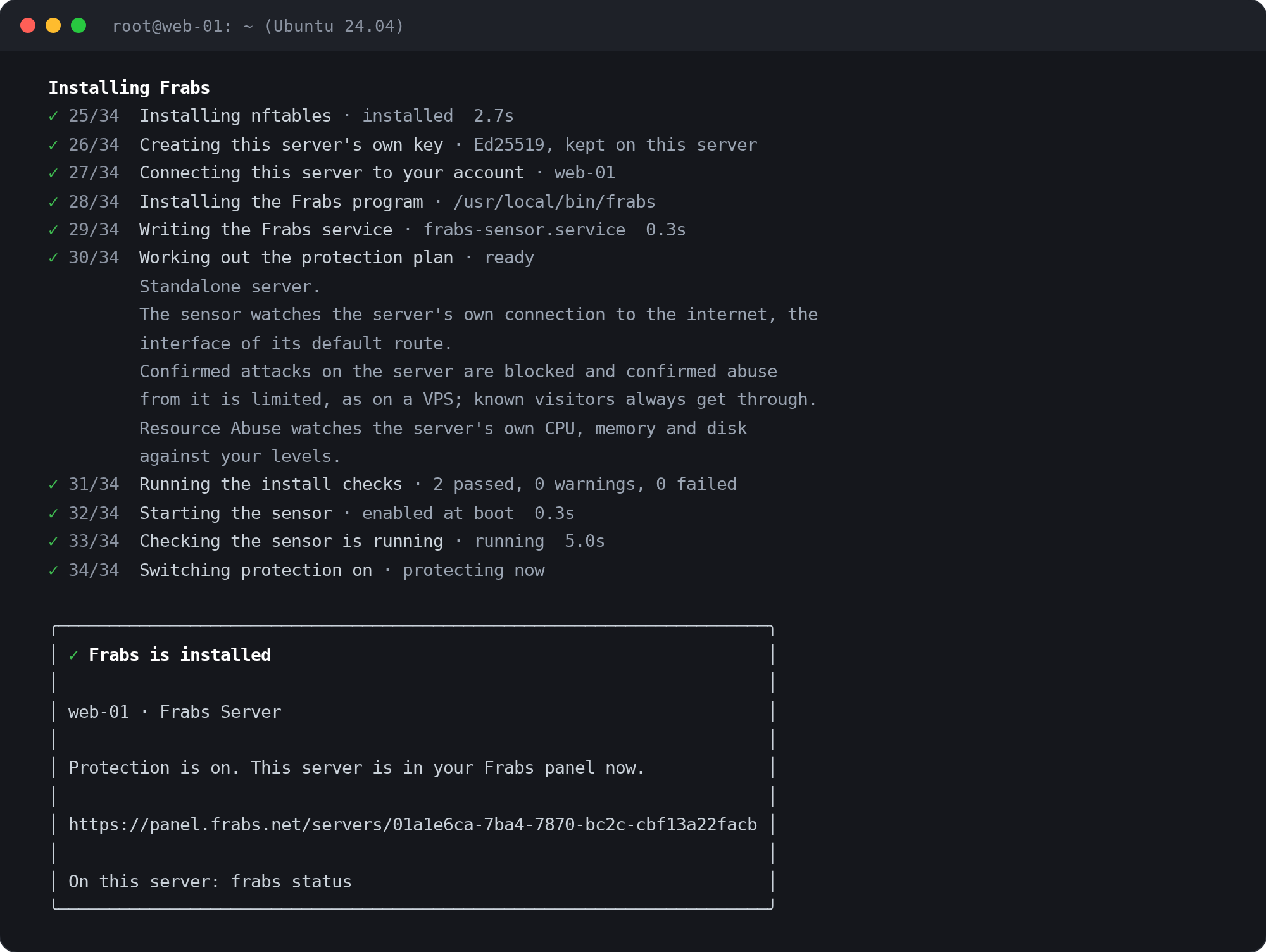
Log in to the server over SSH and run the command below. It installs and turns protection on, with nothing to accept afterwards.
curl -fsSL https://install.frabs.net | sh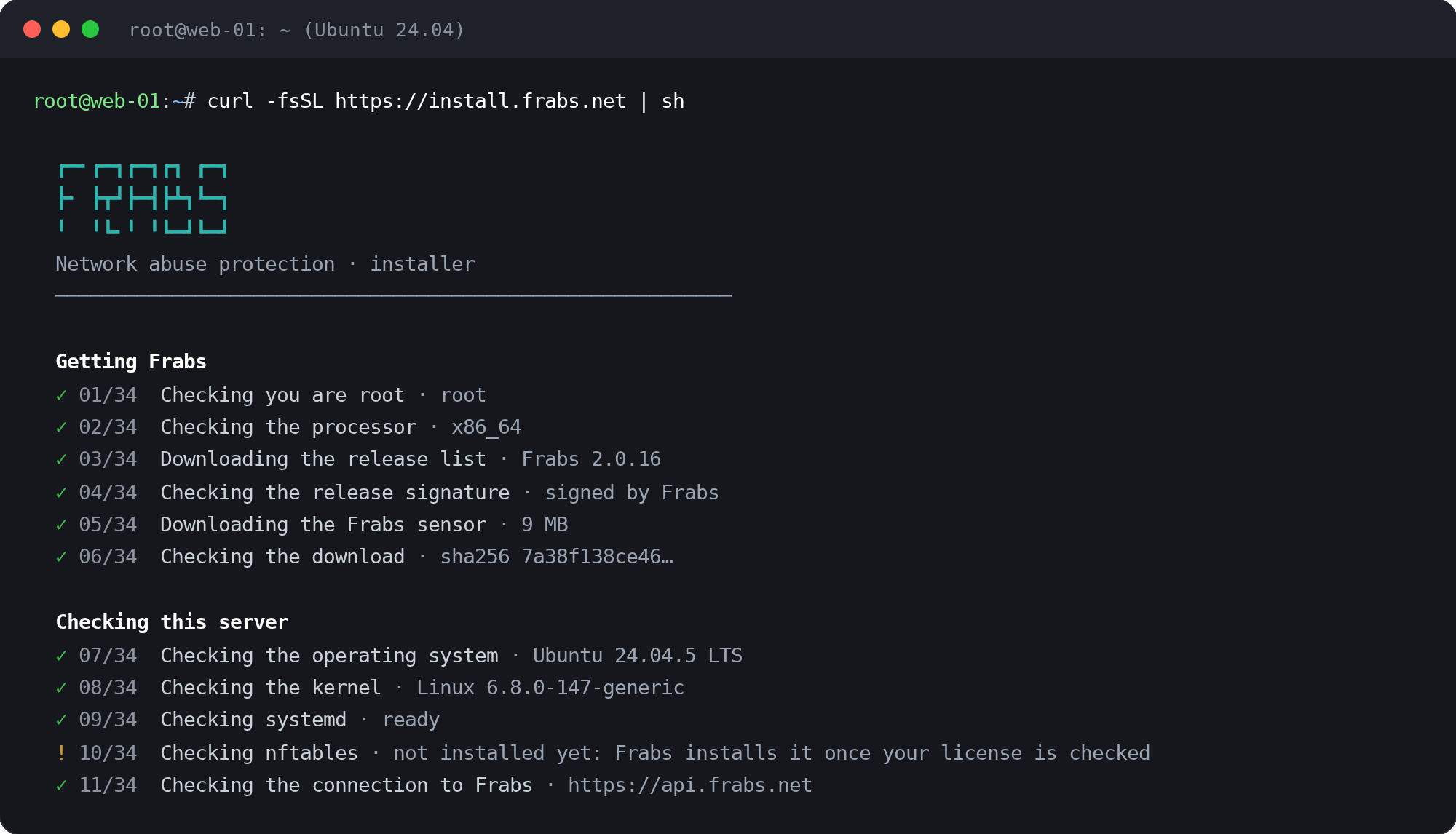
Your Server, Your Data
What Frabs Can and Can't See
What Frabs reads
- Traffic Headers, Not ContentsThe addresses, ports, protocol and size of each connection, the names looked up in DNS, and the first bytes of a connection to spot crypto-mining. Never what's inside your traffic.
- Who Is Behind a ConnectionWhich VPS, hosting account, website or game server a connection belongs to, read from your hypervisor, hosting panel or game panel.
- The Server's Own HealthCPU, memory, disk and network use, and after a reboot the boot logs, so an outage's cause can be shown.
- Its Own Firewall RulesFrabs adds and removes only its own nftables tables. It never changes rules made by you or by other tools like CloudLinux, Imunify360 or BitNinja.
What Frabs never touches
- Files, Websites and EmailIt never reads site files, mailboxes, messages or databases, on the server or in your customers' accounts.
- Inside Your Customers' VPS'sNothing is installed inside a VPS or container, and nothing inside one is read. Frabs works on the node's network.
- Passwords and KeysNo passwords, SSH keys or panel credentials. The server makes its own Ed25519 key, which never leaves it.
- An Open DoorNo port is opened and nothing connects in. The server talks only to api.frabs.net, over HTTPS.
If the Installer Stops
The installer says it can't find my license
The installer says this server is a virtual machine
The installer says the server doesn't suit the license
I bought Frabs from my server provider. Where do I sign in?
Do I need to add the node if my provider sold me the license?
How do I update or remove Frabs?
frabs uninstall: it takes off the sensor and every Frabs network change. See Remove a Node.No license yet?
Get Started Free